Office - General Ledger - Creating / Opening General Ledger Periods
Table of Contents
Overview
This guide will explain how to create new fiscal year Budgets which then create the new year’s periods.
Required Permissions
Admin Group
G/L Module
Create Periods for a new year
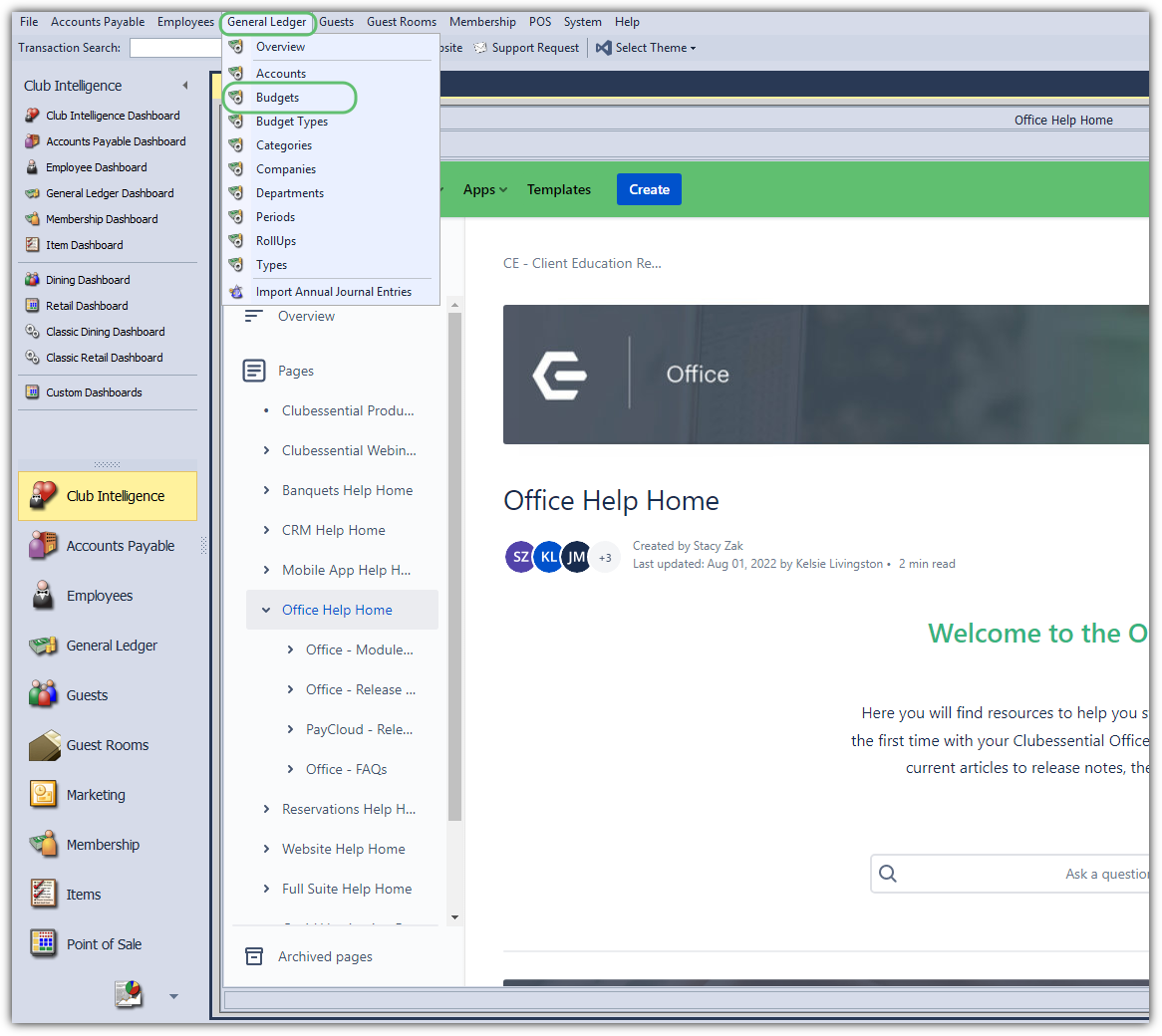
Select General Ledger at the top on the Administrative Menu.
Select Budgets.
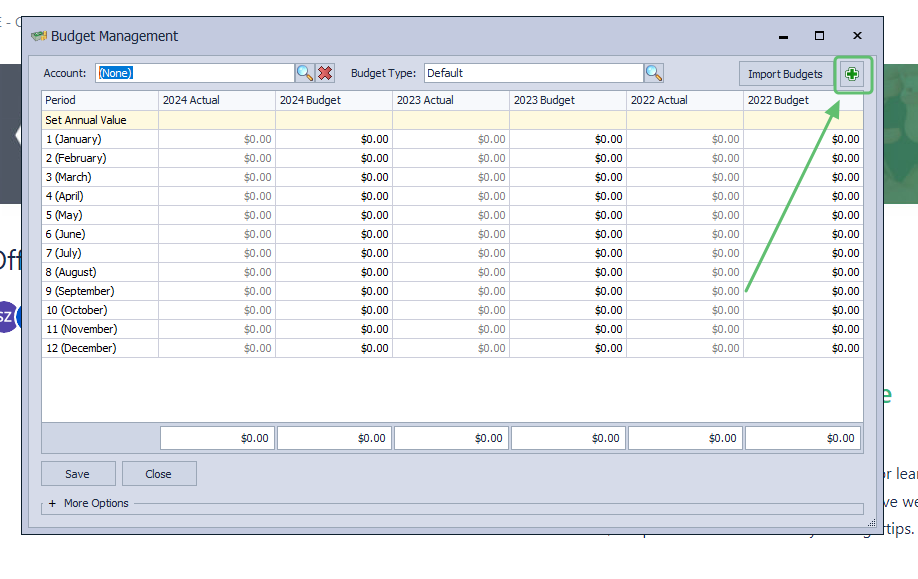
Click on the plus sign on the top right.
When prompted tell it to create the periods.
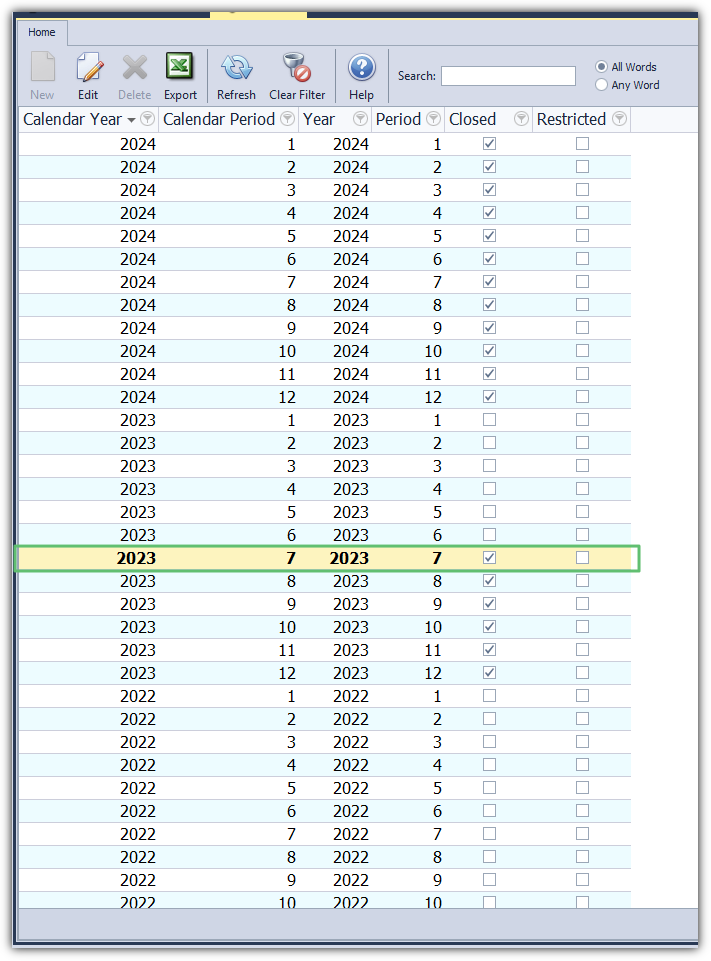
By default the Periods are closed when they are created, and will have to be opened.
Budgets may be uploaded at the time of Period creation, or at a later time based on Club needs.
Open General Ledger Periods
Please note that only employees who are in an Administrative Employee Group will have the rights to perform this function.
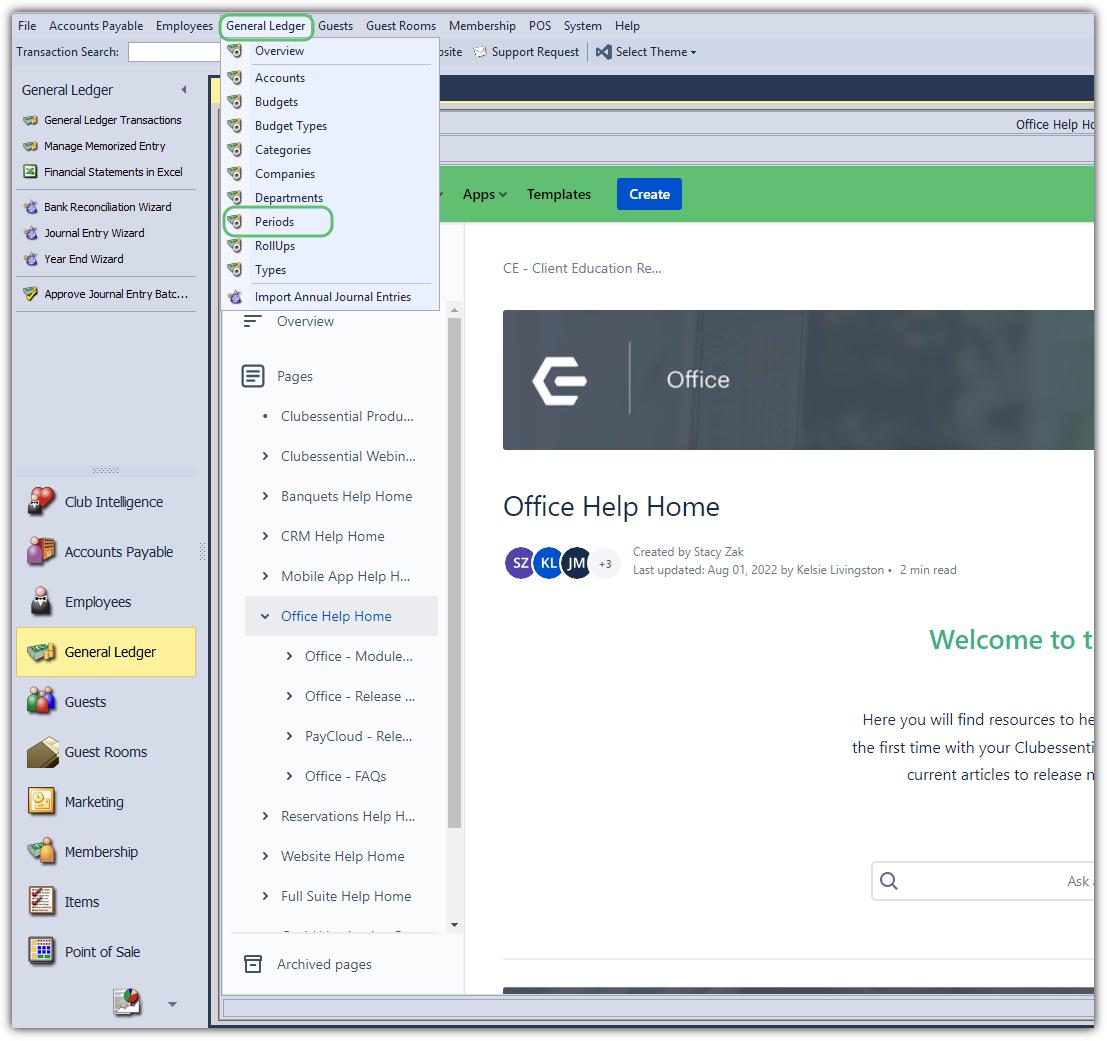
Select General Ledger at the top.
Select Periods.
Double-Click on the period you wish to open.
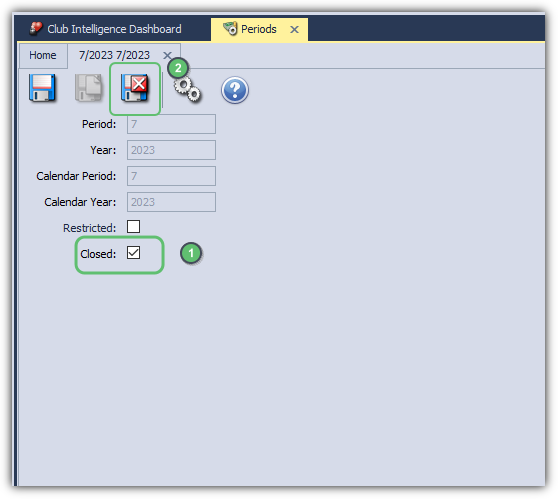
Uncheck the Period Closed box.
Save and Close out of the screen.
Restrict General Ledger Periods
Users with appropriate role permissions can still post into the period, but general users would not. (For Clients wanting to soft close an accounting period so that normal users can no longer post or modify batches. The actual accounting users can still post their month end entries or make normal adjustments.)
Select General Ledger at the top.
Select Periods.
Double-Click on the period you wish to Restrict.
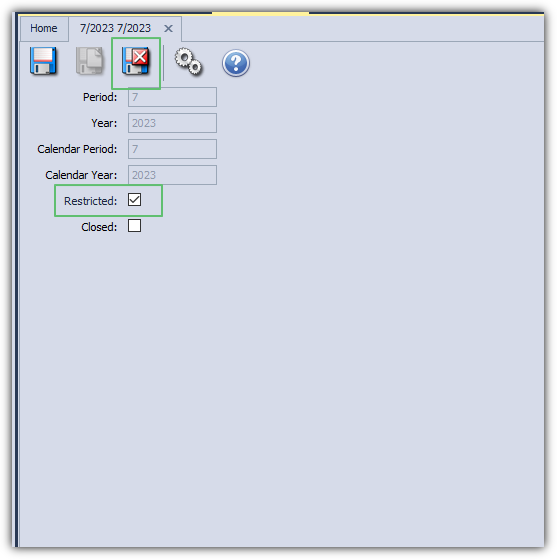
Check the Restricted box.
Save and Close out of the screen.
Best Practices
FAQs
